
Addendum - ASIAIR Device |
ASIAIR Remote Operation (ASIAR Version > 3.0) |
updated: 2026-08-09 |
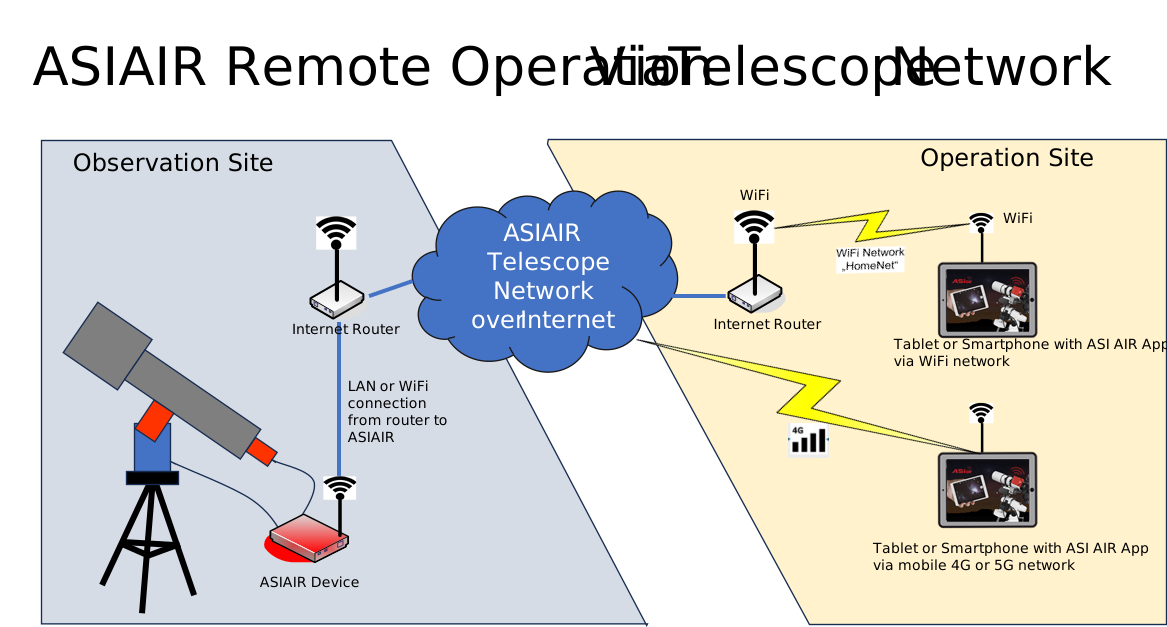
With the arrival of ASIAIR V3.0 you can now remotely control your ASIAIR as long as the ASIAIR device connected to a network with internet access using ASIAIR Telescope Network..
See: ASIAIR V3.0: New Features and User Guide - ZWO Official Store | Make Astrophotography Easy and Fun
See also chapter ASIAIR Remote Operation (ASIAIR Version < 3.0)
- Both the ASIAIR device and the mobile/Tablet must be connected to the network for Telescope Network functions
- It is recommended to locally connect the device first and enable Station Mode to connect to external Wi-Fi before binding. Manual step-by-step configuration is also available without prior Station Mode setup.
- Power on On your ASIAIR device and start the ASIAIR app. See the new
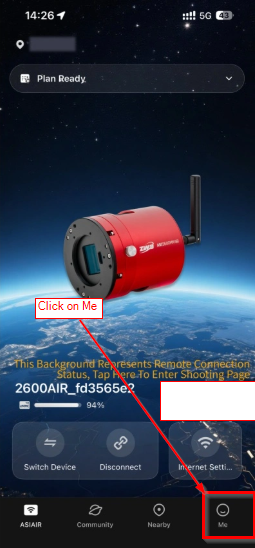
- On the Main screen tap on Me
- Edit or update you profile data if not already done
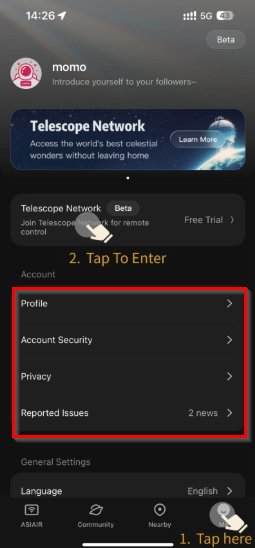
- Disconnect you mobile phone or tablet from the local WiFi to force a mobile network connection
- Tap on Telescope Network will open this screen:
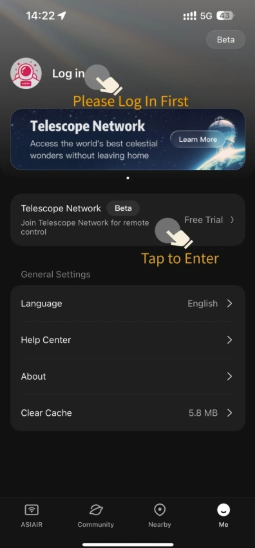
- A list (or empty list) of registered remote devices will be displayed
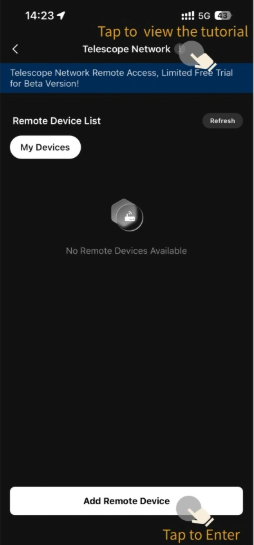
- Tap on Add Remote Device and click on Connect
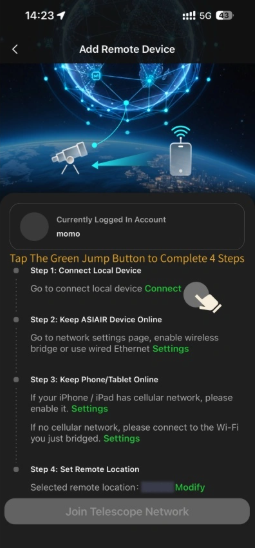
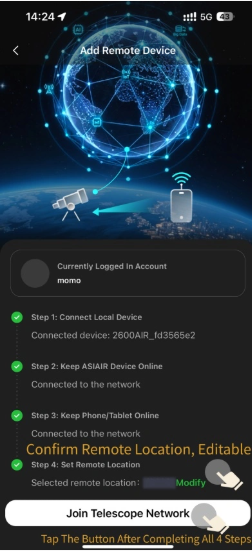
- Click on Join Telescope Network
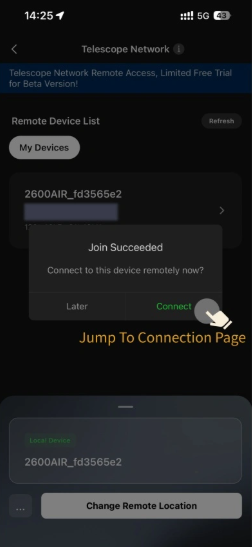
- Confirm the connection
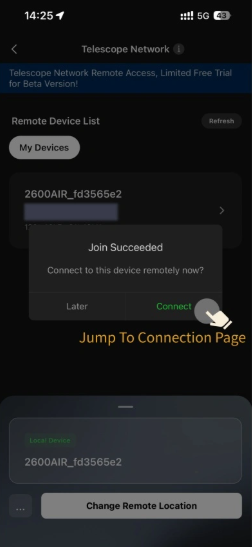
- The remote connected device is now visible in the list of remotes devices.
Created with the Personal Edition of HelpNDoc: Easily create Help documents