
Video File Processing |
Video File Processing with PIPP |
updated: 2026-08-02 |
PIPP stands for Planetary Image PreProcessor and is intended to limit the number of frames used for later stacking as well as video file format conversion. PIPP can be used to create an AVI or Video file from a set of burst photos.
- Open the PIPP software and add the image files:
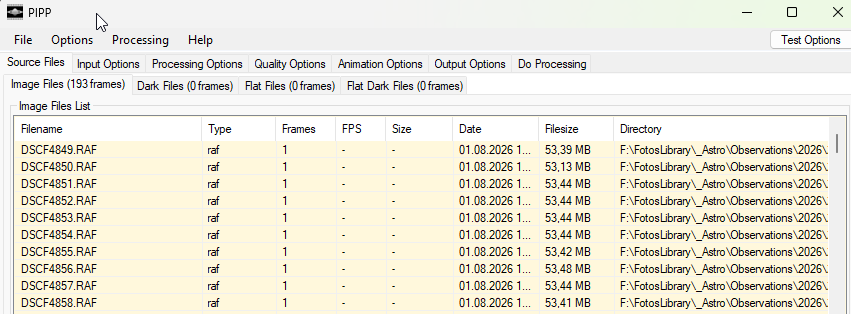
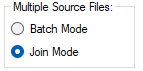
- PIPP will automatically recognize the imported formats and number of files and will switch to the Join Mode (to combine all images into one video file).
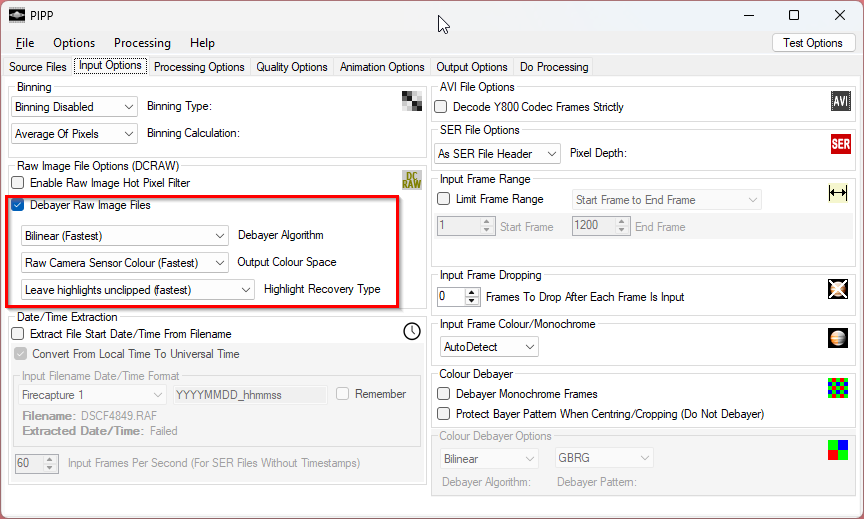
- On the Input Option make sure to check the Debayer RAW Image Files box
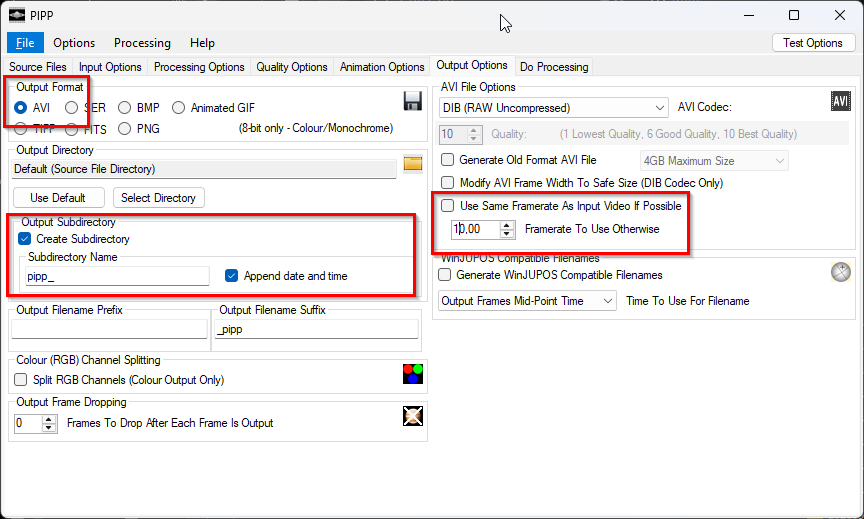
- On the Output Options section activate AVI, the frame rate to increase or decrease the video speed and define the output directory:
- Open the Do Processing tab and click on Start Processing
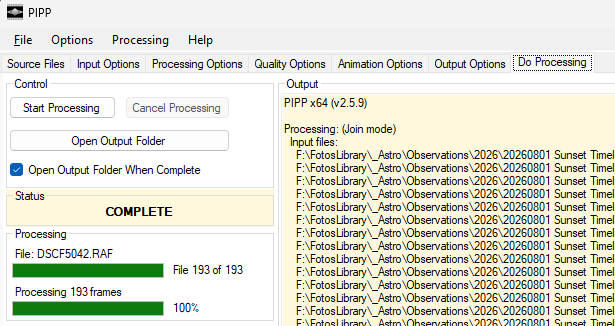
- and the requested AVI file(s) will be created in the PIPP sub-folders.
- More Post-processing
If more post processing is needed, e.g. to increase the contrast, saturation or other compressions, you can use tools like the Movavi Video Converter. This video converter is easy to handle and provides options for many different target video file formats and devices in addition to water marks on videos and contrast and saturation enhancements.
Created with the Personal Edition of HelpNDoc: Maximize Your Documentation Output with HelpNDoc's Advanced Project Analyzer