
|
Picture Post Processing |
Increasing the picture size with ThumbsPlus |
updated: 2026-01-12 |
In the case of photos that have been created from video recordings using the Lucky Image method and that are only available with a small number of pixels (e.g. 320x240 pixels), it is worth upscaling the final image to a higher number of pixels.
This can be easily done using the ThumbsPlus program:
- Open the image with ThumbsPlus
- Trim to 3:2, 16:9 or 4:3 (Transform > Trim to Proportion > select proportion)

- Crop to selection: (Transform > Crop to Selection)
- Resize the image to e.g. 1920x1080 (or 1600 x 1200)

- Save the new image

.. or use the ThumbsPlus Batch Set Increase1080i: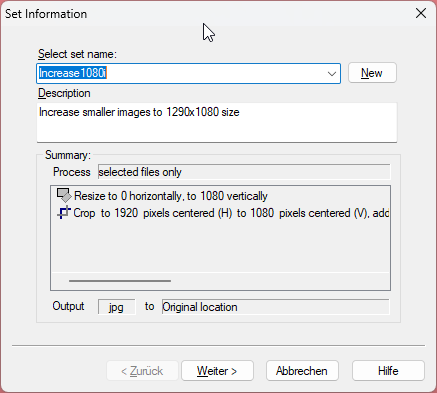
Created with the Personal Edition of HelpNDoc: Full-featured Help generator