
|
PixInsight - De-Linearize or Stretch |
MAS - Multiscale Adaptive Stretch
|
updated: 2026-03-12 MAS Release: v1.1 on 2026-01-27 |

MultiscaleAdaptiveStretch (or MAS, for short) is an image delinearization (stretching) tool based on statistical and multiscale analysis. MAS implements a set of rigorous, robust, yet easy-to-use, image stretching, contrast recovery, and color saturation algorithms within a dedicated PixInsight process with full real-time and static preview capabilities. Thanks to its robustness and adaptability, MAS enables entirely automated processing. The MAS algorithms were designed by Vicent Peris, and the implementation was authored by Roberto Sartori. The documentation was written by Edoardo Luca Radice and Vicent Peris.
Controls
Usage of MAS is pretty straightforward. We have four main controls:
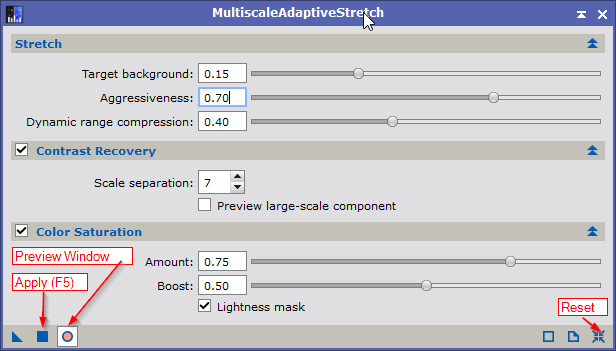
picture: PI_MAS_DefaultSettings
Stretch
Target background sets the brightness of the sky background. The further to the right, the brighter the background will be. We usually use a sky background level of between 0.1 and 0.20. If the image contains large, extended objects, a higher value (0.25 - 0.40) may be needed.
Aggressiveness sets the shadows clipping point. The higher the value, the closer the clipping point will be to the histogram's main peak of the sky background, forcing a more aggressive midtone adjustment to increase the background brightness. Too high values increase image noise, while too low values decrease the overall contrast of the objects.
Dynamic range compression controls the contrast of high-brightness areas during adaptive stretching. This parameter modifies how aggressively bright structures are stretched. The function of this parameter is to restore the shape of high-contrast structures, especially preserving the Gaussian profile of stars. Increasing this value will result in smoother stars; values that are too high may affect the contrast of image details, leaving this parameter to 0 results in a pure midtone-based stretching.
Background Reference
MAS 1.1 comes also with a Background Reference section that allows to define a custom background region in the image. Up to now, the Target background parameter was defined by the median of the entire image. Using a background region of interest we can define where the Target background is calculated.
Controls the region of interest (ROI) used for background level determination during the stretching process.
Click the "From Preview" button to automatically set the background reference region coordinates from an existing preview window. When clicked, this button allows you to select an active preview from the target image, and the Left, Top, Width, and Height parameters will be automatically populated with the preview's position and dimensions. This provides a convenient way to define the background reference region: simply create a preview rectangle on a representative background area of your image, then use this button to transfer the preview coordinates to the background reference parameters.
Contrast Recovery
Scale Separation: Defines the boundary between small and large structures in pixels. Features smaller than this scale are considered fine details and will have their contrast preserved. Lower values (e.g. 8-128) protect only the finest details like stars and nebula filaments, Higher values (e.g. 512-1024) also protect larger structures like galaxy arms and extended nebulosity. The default value of 1024 pixel works well for most images.
Intensity: Controls the overall strength of the multiscale contrast recovery transformation. At 1.0 (default), the transformation is fully applied. At values less than 1, the effect is diminished proportionally. This parameter provides fine control over contrast recovery at the selected scale.
Preview large-scale components: When enabled, the real-time preview shows only the large scale structures of the image. This visualization helps you chose the right scale value: structures visible in this preview will be treated as background, while structures that disappear will be protected as fine details. Adjust the scale so that this preview does not contain any structures whose contrast you wan to recover. Any detail visible here will not benefit from the contrast recovery.
Recommendation: Enable for images with complex nebular structure or galaxies where fine detail preservation is critical. Disable for simpler targets, if the image requires only gentle stretching, or if the result appears over-processed.
Important: Since multiscale transforms depend on the overall image size, enabling contrast recovery on a partial preview may produce results that differ from those obtained when processing the entire image. For this reason, using this feature on small image previews is not recommended.
Color Saturation
Default: enabled
Enables or disables the saturation enhancement step. When enabled, the tool applies a curve transformation to the saturation channel in HSV color space, increasing color vibrancy while protecting the background from chrominance noise amplification.
The saturation enhancement uses a specially designed curve that allows to select whether to boost only the mid-range saturation values or focus the enhancement on the least saturated pixels.
Amount: Controls the overall intensity of saturation enhancement. At 0, colors remain unchanged. At 1, the maximum saturation boos is applied. Values in between provide proportionally reduced enhancement. Start with lower values and increase gradually to avoid oversaturation.
Boost: Controls which color saturation values receive the most enhancement. Higher values target lower saturation levels (useful for faint nebula colors), while lower values affect a broader range of color saturation values.
Lightness mask: When enabled, the color saturation enhancements is masked by the image lightness. Brighter areas receive more saturation enhancement while darker areas retain their original color saturation. This helps prevent oversaturation of faint background regions while allowing stronger enhancements of brighter features.
Recommendation: Enable for color images where natural color enhancement is desired. Disable if you prefer to perform color adjustments manually.
Important note: It is not recommended to enhance the color with this option in images with a high dynamic range because color clipping may occur in the highlights. In these cases, the recommended workflow is to stretch the image with the color saturation section disabled, then compress the dynamic range using HDRMT, and applying a color saturation curve with CurvesTransformation.
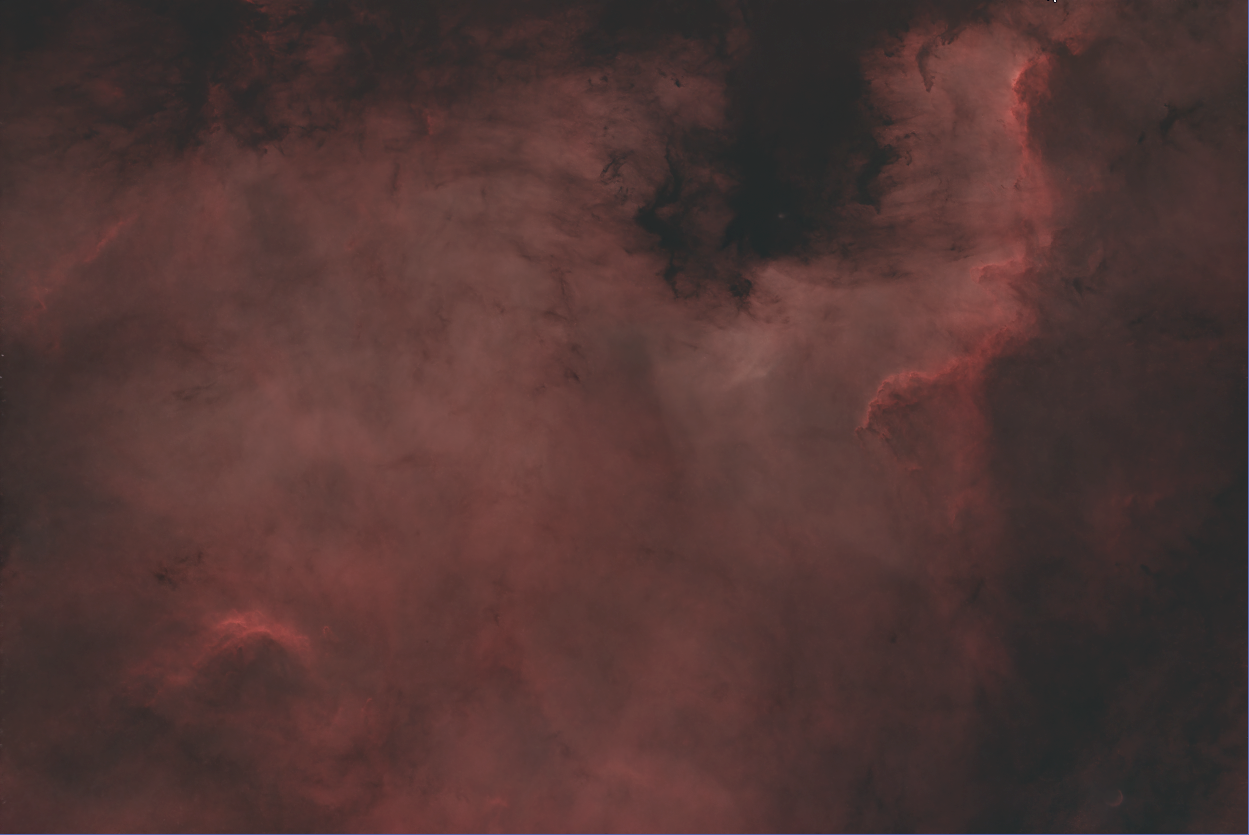
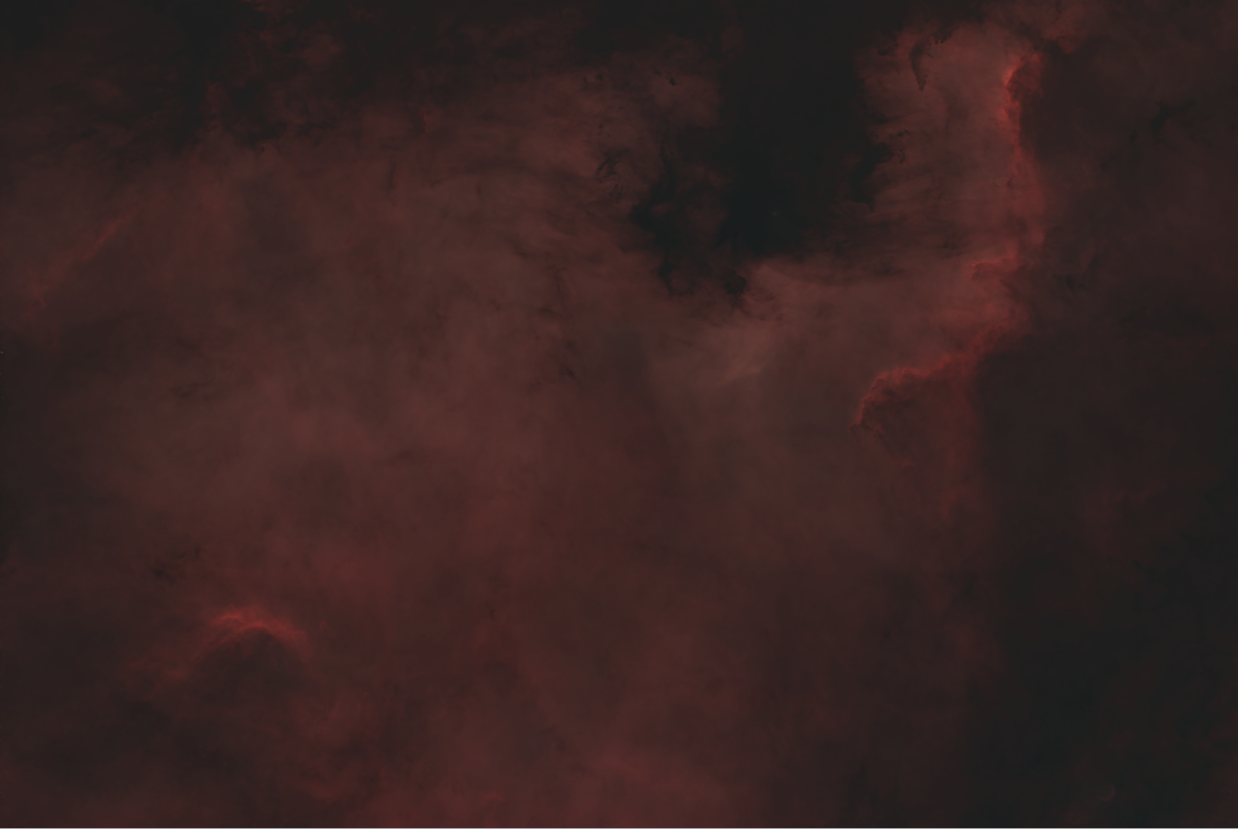
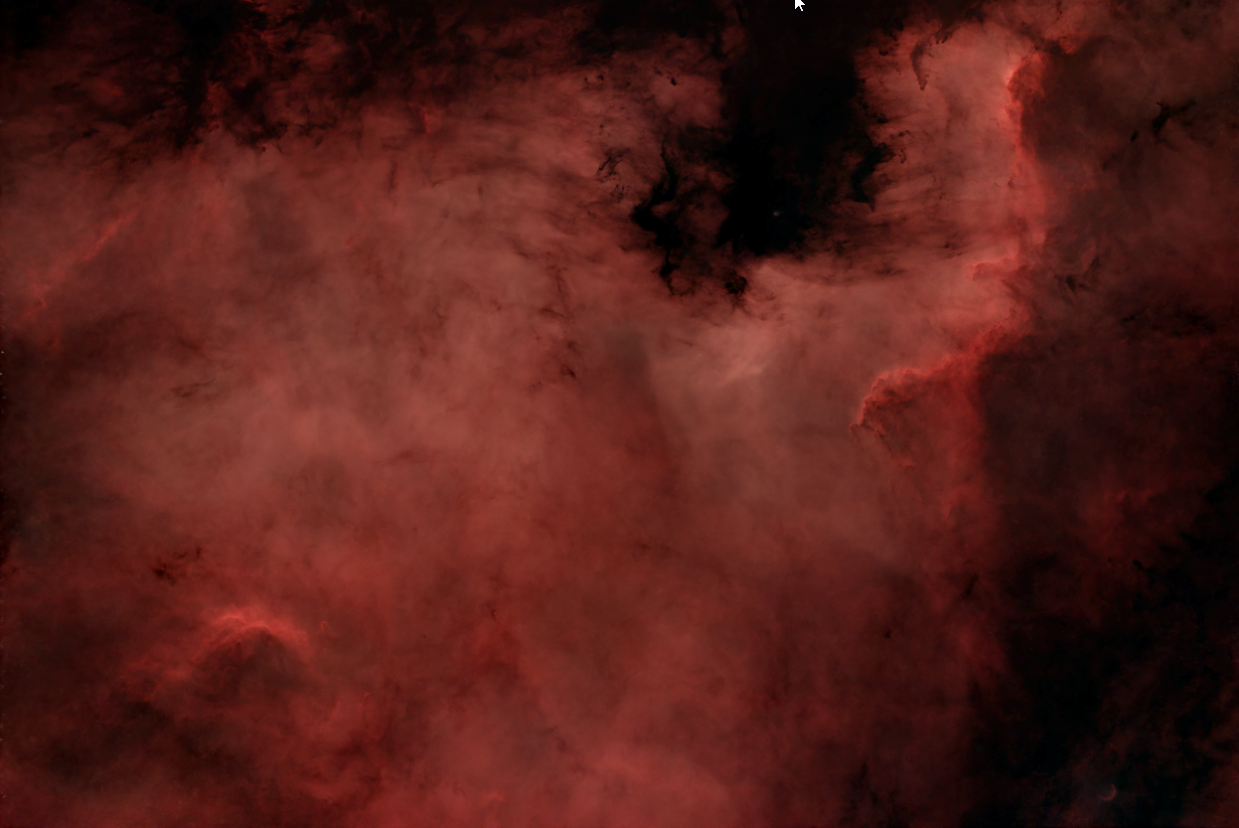
Example (North America Nebula - NGC 7000 - Starlust - Photos)
|
Using PixInsight Autostretch |
|
|
Using MAS default settings (see screenshot above) |
Picture: PI_MAS_DefaultStretch |
|
Using MAS settings: Color Saturation Amount: 1.0 Color Boost: 1.0 |
|
Resources:
- For detailed mouse-over examples, please read the tool documentation within the PixInsight core application
Videos
- PixInsight: MAS and Dynamic Range Management
- Multiscale Adaptive Stretch Tool | PixInsight Development
- Multiscale Adaptive Stretch Version 1.1 Released | PixInsight Development
- Multiscale Adaptive Stretch — Narrowband Images (I)
- Multiscale Adaptive Stretch: The Tool
- Multiscale Adaptive Stretch — Version 1.1 Improvements
Created with the Personal Edition of HelpNDoc: Create Professional CHM Help Files with HelpNDoc's Easy-to-Use Tool