
|
PixInsight - Improving the Non-Linear Image |
MMT - Ring Free Sharpening with MultiscaleMedianTransform |
updated: 2026-03-23 |

|
Purpose |
In this step PixInsight is used to sharpen details in the nearly final image |
|
Activation |
Menu: Process 🡺 Multiscale Processing 🡺 MultiscaleMedianTransform |
|
Input |
a nearly final non-linear image, preferably of the the DSO object without stars after the MAS (Multiscale Transform Stretch) |
|
Output |
a sharpened image |
|
Tutorials |
Steps:
- Open the nearly final non-linear image, preferably of the the DSO object without stars after the MAS (Multiscale Transform Stretch), e.g.:
- Open Process 🡺 Multiscale Processing 🡺 MultiscaleMedianTransform and set these parameters:
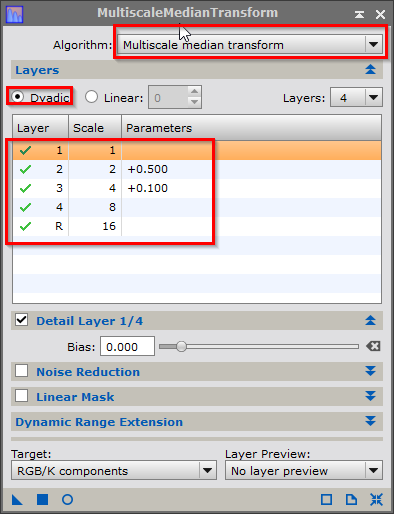
- Open the preview window to see the result
- Apply the process to the image.
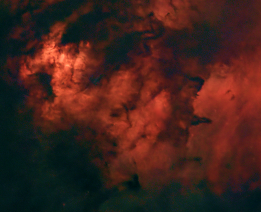
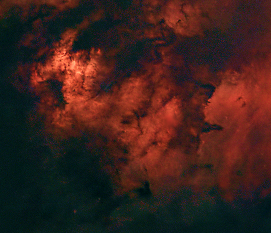
- ... and check the result:
|
Before |
After |
|
|
|
Hint: A simpler method is to increase the sharpness and detail levels in Lightroom Classic (LRC). However, since LRC cannot import XISF files, this method only works with TIFF or JPG files.
Created with the Personal Edition of HelpNDoc: Experience the power of a responsive website for your documentation