
|
PixInsight - Comet Processing |
Weighted Batch Pre-processing for Comets |
updated: 2026-07-30 |
|
Purpose |
This script will add all the light frames, the flats, the darks and the bias frames, register them, stack and debayer |
|
Menu |
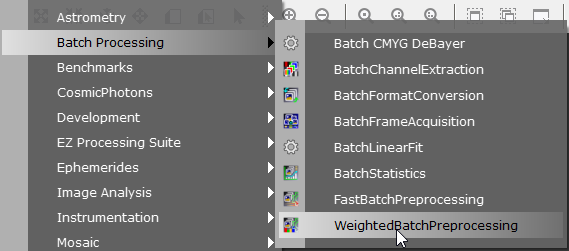
Script 🡺 Batch Processing 🡺 WeightedBatchPreprocessing |
|
Input |
Batch of original pre-selected Light frames + master Dark, Flats and Bias frames |
|
Output |
batch of debayered and comet-aligned frames with a *_a_c_d_r.xisf suffix |
|
Previous Step |
|
|
Next Step |
|
|
Tutorial |
Step |
Action |
Description |
1 |
Perform a Automatic Selection using Sub-Frames Selector |
|
2 |
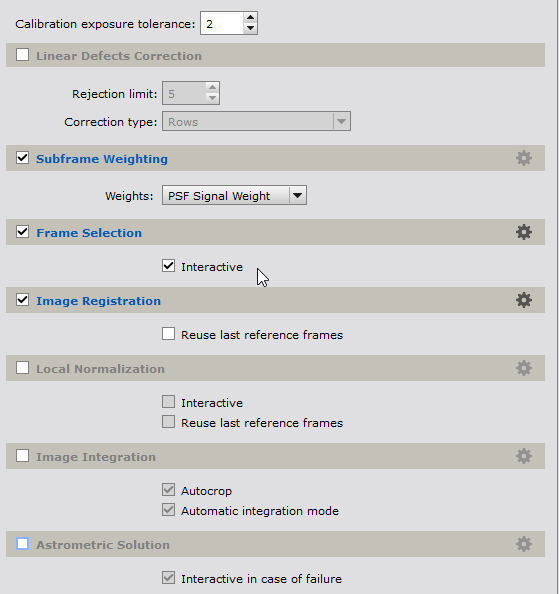
Open the Weighted Batch Pre-processing (WBPP) Scriptand proceed as described in the chapter WBPP Weighted Batch Pre-Processing but: in the Lights settings deactivate the Image Integration and the Astrometric Solution check box: |
|
3 |
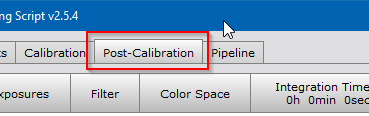
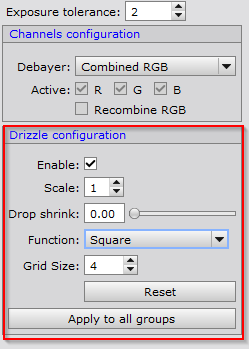
On the Post-Calibration tabenabling the Drizzle configuration (always for OSC cameras!) will return following warning:
so, deactivate it. |
|
4 |
Set the output folderUse subfolder "...\_Astro\Observations\2023\20230208-193349_C-2022 E3_GÖ-MBR\Work" as output directory. |
|
5 |
Start the batch processby first running a diagnostic check and then the click on Run if the diagnostic didn't return any problems. |
|
6 |
Check and save the log file for documentatione.g. into a subfolder "logs" and name it according to major process settings, e.g. "AWBP_Lanczos-3_ ProcessLogger.txt" or similar. |
|
7 |
Next Step: |
|




Created with the Personal Edition of HelpNDoc: Free iPhone documentation generator